Luma Dream Machine
Infinity AI SolutionsPersonalization
3.331.00 Reviews
- Version
- 12
- Installs
- 10.00K
- Age Rating
- Everyone
Screenshots
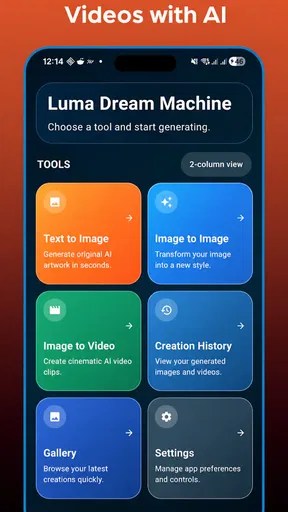
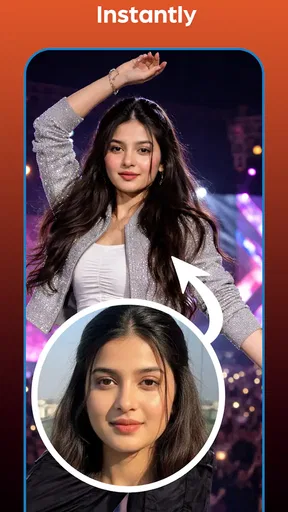
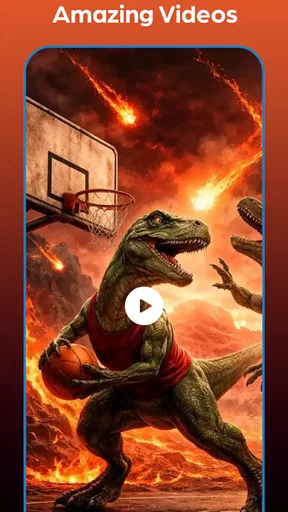
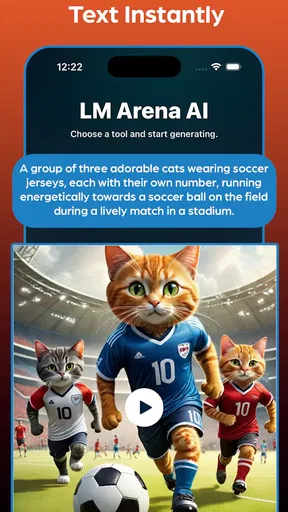
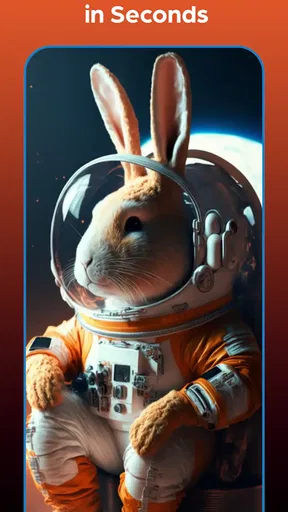
Our Review of Luma Dream Machine
 Analysis by Appyee
I came away from Luma Dream Machine with a fairly clear impression: it is an appealing personalization app for people who want to experiment with AI-created visuals without switching between several separate tools. Its central idea is practical, combining text-to-image, image-to-image, and AI video creation in one place. That makes it easy to understand, but the experience is not automatically perfect just because the feature list sounds broad. The quality of a result depends heavily on how clearly I describe an idea, how well a source image fits the request, and how much patience I have for refining the output.
For me, the most interesting part is the way the app sits between a simple wallpaper generator and a more involved creative studio. I can begin with a written concept, use an existing picture as a visual starting point, or move toward animated content. That range gives the app more value than a tool limited to static backgrounds. At the same time, anyone expecting precise professional control over every detail may find the streamlined approach restrictive.
What the creative workflow feels like in everyday use
The app is developed by Infinity AI Solutions and belongs to the personalization category, which is a good fit for its strongest use cases. I would not approach it first as a replacement for a full image editor or a dedicated video production suite. I see it more as a fast way to explore visual ideas, create something distinctive for a phone, or turn a rough concept into an image or moving scene that I can continue refining elsewhere.
A typical session can start with a simple prompt. Instead of writing something vague such as “a beautiful landscape,” I get better results by describing the subject, atmosphere, composition, and intended use together. For example, I might ask for a quiet mountain lake at dawn, with soft mist, a vertical composition, and enough open space near the center for icons. That last detail matters when the result is meant to work as a phone background rather than merely look attractive in a gallery.
The same thinking helps with image-to-image work. A source picture should have a clear subject and a useful composition before I ask for a transformation. If the original image is already cluttered, an ambitious instruction can produce a result that feels confused rather than creative. I get more dependable outcomes when I make one major change at a time, such as changing the lighting or artistic mood first, then trying a second variation for the setting or color treatment.
The video side is where the app becomes more distinctive for casual users. A still image can be treated as the starting point for motion, which is useful when I want a short visual concept rather than a conventional photograph. I would use this for a social post, a mood piece, a digital invitation, or a background visual. It is also a good way to test whether an image has enough depth and visual structure to support movement.
One practical tip is to design the still image with motion in mind. A scene with a clear foreground, middle distance, and background gives an animation concept more room to breathe than a flat graphic packed with tiny details. I also avoid asking for several independent actions in one request. A prompt that demands a person turning, a dog running, rain falling, lights changing, and a camera circling may sound imaginative, but it gives the generator too many competing instructions.
The app’s value is therefore not only in producing a first result. It is in shortening the distance between an idea and a visual draft. I can try a concept quickly, reject it, adjust the wording, and compare a different direction without opening a conventional design program. That makes it particularly attractive when I am exploring rather than finishing.
Where the combined toolset is genuinely useful
The three creative modes support different stages of the same project. Text-to-image is the best starting point when I have a mental picture but no source material. Image-to-image is more useful when I already have a photo, sketch, or visual reference and want to push it toward another style. Video generation becomes more valuable after I have a strong still concept that can carry movement.
That sequence suggests a workflow I would recommend: begin with several written concepts, choose the most promising composition, refine it through an image-based transformation, and only then explore motion. This avoids wasting time trying to animate an image that was never visually convincing in the first place. It also makes the app feel less like three unrelated buttons and more like a compact idea-development tool.
Another non-obvious strength is its usefulness for people who do not think of themselves as artists. I do not need to know how to draw a character or build a scene manually to begin exploring. The important skill is learning to describe what I want and recognizing when a result is close enough to develop further. That lowers the entry barrier, although it does not remove the need for judgment.
I would also use it for personal projects that need a consistent mood rather than a technically exact image. A themed set of phone backgrounds, a visual board for redecorating a room, or a series of atmospheric images for a small event can all benefit from quick experimentation. The app is less convincing when the goal is strict reproduction of a real object, exact typography, or a carefully controlled brand asset.
That distinction is important. AI image tools can produce attractive compositions while still getting small details wrong. If a person, product, sign, or recognizable object must remain accurate, I would treat the output as a draft and check it closely. For a personal wallpaper, an imaginative concept, or a visual reference, those imperfections may be acceptable. For a final commercial design, I would rather use a tool that offers more deliberate editing and verification.
The main weakness: convenience does not guarantee consistency
The biggest limitation is the gap between an impressive first impression and dependable repeatability. A generated image may capture the mood perfectly while missing the exact arrangement I described. A transformation may preserve the broad subject but alter details I wanted to keep. With video, the challenge becomes more noticeable because movement can expose inconsistencies that are easy to overlook in a still frame.
This is why I would not judge the app from one successful result alone. Its real usefulness depends on whether I can accept a creative interpretation instead of demanding a precise instruction-following machine. The more exact my brief becomes, the more important it is to review every part of the output rather than assuming that the app understood the request exactly as I intended.
There is also a learning curve in prompt writing, even though the interface is approachable. Short prompts are quick, but they often leave too much open to interpretation. Extremely long prompts can be just as unhelpful because they bury the main subject under a pile of competing adjectives. I get the best balance by stating the subject first, then the setting, lighting, composition, style, and intended format.
For image-to-image creation, the source picture introduces another trade-off. A strong source can guide the result, but it can also anchor the output so closely that the transformation feels modest. A weak source gives the generator more room to reinterpret the scene, but the final image may lose the qualities that made the original useful. I prefer to make a copy of the source and decide in advance which elements are essential and which ones I am willing to sacrifice.
Cost is another point worth considering. The app is free to install, but it includes in-app purchases ranging from $5.99 to $59.99 per item. That means casual experimentation can begin without an upfront purchase, while frequent use may require a closer look at how much generation fits comfortably into a personal budget. I would not start a large project before understanding how quickly my own workflow might lead me toward paid options.
The free entry point is helpful, but it should not be confused with unlimited professional production. If I only need occasional images, the app may be easy to justify. If I expect to create many variations, repeated video attempts, or a complete visual library, I would compare the likely ongoing cost with a more specialized service before committing to the workflow.
Privacy and ownership questions also deserve ordinary common sense, even when they are not visible during the creative process. I would avoid uploading sensitive personal photos, confidential documents, or client material unless I had already checked the relevant terms myself. For a casual transformation of a non-sensitive picture, that concern is smaller. For professional work, the decision should be more deliberate.
How it compares with familiar alternatives
Compared with a normal wallpaper app, this is much more flexible because I can describe a scene instead of choosing from a fixed catalog. The trade-off is that a catalog is faster when I simply want a polished background immediately. A traditional wallpaper app also gives me a more predictable result, while this tool rewards experimentation and accepts a degree of surprise.
Compared with a standard photo editor, the app is better at generating a new visual direction from an idea. A conventional editor remains stronger when I need exact cropping, careful retouching, reliable text placement, or precise color adjustments. I would use this app to create a starting point, then move to an editor when the final image needs controlled finishing.
Compared with a dedicated video editor, its appeal is the creation of visual motion from an AI concept rather than the assembly of clips on a timeline. A video editor is the better choice for trimming footage, synchronizing sound, arranging multiple scenes, and making exact changes. This app makes more sense when I want an imaginative moving visual without building the entire production manually.
It also differs from a single-purpose AI art generator by bringing several modes together. That reduces the need to learn multiple interfaces, especially for a beginner. However, a specialized application may provide deeper controls in one area. If my only goal is professional image retouching or detailed video editing, the broader package may not be the strongest option.
Who should try it, and who should skip it
I think the best audience is curious Android users who want to personalize their devices or explore visual ideas with minimal setup. It supports phones running Android 7.0 or later, so the compatibility range is broad enough for many older devices as well as newer ones. The age rating is Everyone, which makes the app approachable for general audiences, although parents should still encourage sensible choices when children are experimenting with AI-generated media.
It is especially suitable for someone who wants a custom lock-screen concept, a themed background, a visual reference for a hobby project, or a short animated scene for sharing. The app is also useful for brainstorming. I can create several different interpretations of the same idea and use them to decide what mood, palette, or composition I actually prefer.
In an everyday scenario, imagine that I am preparing a small birthday invitation on my phone. I could generate a colorful background with open space for the event details, transform it toward a softer style, and then create a subtle moving version for a digital message. I would still add the actual text in a conventional editor, because readable typography and exact information are better handled manually. That combination uses the app where it is strongest without asking it to do everything.
I would recommend skipping it if the priority is exact control, guaranteed continuity between many images, or a production-ready video timeline. It is also not my first choice for sensitive photographs or work where every visual detail must remain faithful to a real person, product, or location. In those cases, a conventional editor or a specialized professional tool is likely to create less friction.
People who dislike trial and error may also become frustrated. The app can make creation feel quick, but finding the right prompt and composition still takes iteration. If I want a result in a single predictable step, browsing a ready-made wallpaper collection is simpler. The creative freedom here comes with a responsibility to review, adjust, and sometimes start again.
Practical advice for getting better results
I recommend beginning with the final destination in mind. A phone background needs a different composition from a square profile image or a moving social post. I leave visual breathing room where interface elements or text will appear, and I avoid placing the main subject exactly where notifications are likely to cover it.
I also keep a small record of prompts that produce a promising mood. When a result is nearly right, changing one phrase at a time makes it easier to understand what helped. Rewriting the entire prompt after every attempt removes that useful comparison. This simple habit turns random experimentation into a more controlled process.
For consistent sets, I repeat the same core description and change only the subject or setting. That does not guarantee perfect continuity, but it gives the collection a better chance of sharing a recognizable atmosphere. I would not rely on the app alone for exact character identity or product consistency; I would use the outputs as concepts and select the closest matches manually.
Before sharing anything, I inspect faces, hands, lettering, edges, and moving objects. These are the places where an attractive overall image can reveal distracting flaws. For a private wallpaper, I may accept a small imperfection. For a public post or invitation, I would regenerate or correct the problem in another editor rather than hoping viewers will overlook it.
The current version is 12, and the app has passed ten thousand installs. Its average rating is 3.3 from around eighty-nine ratings, with thirty-one written reviews, so I read that overall response as mixed rather than universally enthusiastic. To me, that fits the product’s character: the concept is appealing, but the experience can vary depending on expectations, prompts, device use, and tolerance for experimentation.
My verdict after weighing the trade-offs
Luma Dream Machine is worth trying if I want one accessible place for AI images, transformations, and video experiments. Its strongest quality is the connection between those modes: an idea can begin as text, become a still image, evolve through a source-image workflow, and then move toward animation. That makes it more useful than a basic personalization catalog when I am willing to participate in the creative process.
My recommendation is more cautious for anyone looking for a precise design instrument. The app can produce exciting starting points, but I would not treat every output as finished work. The need to refine prompts, inspect details, and sometimes use another editor is not a minor footnote; it is part of the experience. Its real strength is fast visual exploration, not guaranteed perfection.
Because it is free to start, I think curious users have a reasonable way to decide whether the workflow suits them before spending money. I would begin with a small personal project, test all three creative directions, and pay attention to how often I need to regenerate or edit results afterward. If that process feels enjoyable, the app can become a flexible personalization companion. If it feels like too much trial and error, a ready-made wallpaper app or a dedicated editing tool will probably serve me better.
Overall, Infinity AI Solutions has put together an inviting creative package for everyday experimentation. I would recommend it to imaginative users who value possibilities more than exact control, especially those who want to turn a phone into a more personal visual space. I would not recommend it as the only tool for professional assets, sensitive images, or tightly managed video work. Used with those boundaries in mind, it offers a genuinely enjoyable way to move from a rough idea to something visual and shareable.
Verdict
Strengths of Luma Dream Machine
- Creates impressive cinematic videos from simple text prompts.
- Supports image-to-video generation for more creative control.
- Produces dynamic camera movement and visually rich scenes.
- Web-based workflow works across compatible devices.
- Regular model improvements can enhance output quality over time.
Limitations of Luma Dream Machine
- Free generations may be limited and can run out quickly.
- Complex prompts may produce inconsistent details or motion.
- Rendering can take time, especially during busy periods.
- Some outputs may contain distorted faces, hands, or text.
- Higher usage limits and advanced access may require a subscription.
Similar Picks in This Category
View All
Microsoft SwiftKey AI Keyboard
SwiftKey4.3

Wallpapers
Google LLC4.1

Zedge™ Wallpapers & Ringtones
Zedge4.7

Yandex Browser with Alice AI
Direct Cursus Computer Systems Trading LLC4.3

Ringtone Maker:create ringtone
Big Bang Inc.4.7

Fonts Keyboard
Fonts Keyboard3.9
Frequently Asked Questions
What is Luma Dream Machine?
Luma Dream Machine is an AI-powered video generation tool that creates short video clips from written prompts and, in some cases, reference images. After entering a description, the service interprets the scene, movement, style, and camera direction to produce a cinematic-looking result. It is designed for concept development, social media content, storyboarding, visual experiments, and quick creative prototypes rather than guaranteed frame-perfect production work.
How do I create a video with Luma Dream Machine?
To create a video, you generally enter a detailed text prompt describing the subject, environment, action, visual style, and camera movement. You can also use an image-based workflow when supported, allowing the system to animate or transform a reference. Clear prompts usually produce more consistent results, although the generated motion, object details, and timing can still vary. Processing may take longer during busy periods.
Is Luma Dream Machine free to use?
Luma Dream Machine may offer limited free access, but free generations are usually subject to restrictions such as credits, queues, output limits, or watermarks. Paid plans can provide additional generations, faster processing, higher usage allowances, and broader commercial options, depending on the current subscription terms. Before downloading or subscribing, check the official pricing page because plans, credits, and licensing conditions can change.
Can I use videos made with Luma Dream Machine commercially?
Commercial use depends on the plan under which the video was generated and the service’s current licensing rules. A paid subscription may provide broader rights, while free outputs can have different limitations or attribution requirements. You should also confirm that your prompt, reference images, music, logos, characters, and other source materials are legally usable. Always review Luma’s latest terms before publishing client work or monetized content.
What are the main limitations of Luma Dream Machine?
Although Luma Dream Machine can produce impressive visuals quickly, it may struggle with precise text, realistic hands, consistent faces, complex interactions, and maintaining the same character across multiple shots. Results are probabilistic, so several attempts may be needed to obtain a usable clip. Generated videos are also typically short, and users should expect occasional visual artifacts, unexpected camera movements, or details that do not exactly follow the prompt.
